Index:
As already presented, a service rule defines how your bot directs human services among registered teams.
In a complementary way, situations can occur where the desired guidance team does not have attendants available (online). To avoid such situations, it is necessary to carry out a verification of available attendants per team following the structure of attendance rules.
Structuring service bot
1. Create the service bot
We will start structuring the bot from the service template.


2. Add attendants to teams
For this example, we will add 2 attendants, being the teams of attendants respectively:
- Team1, Default;
- Team2.
3. Define the attendance rules
It is necessary to define service rules to direct the contact to the desired teams. In this example, we will use the Contact's Extras data source, Contemn operator and expected value according to the Team's Name for all cases, always considering good practices when defining service rules.

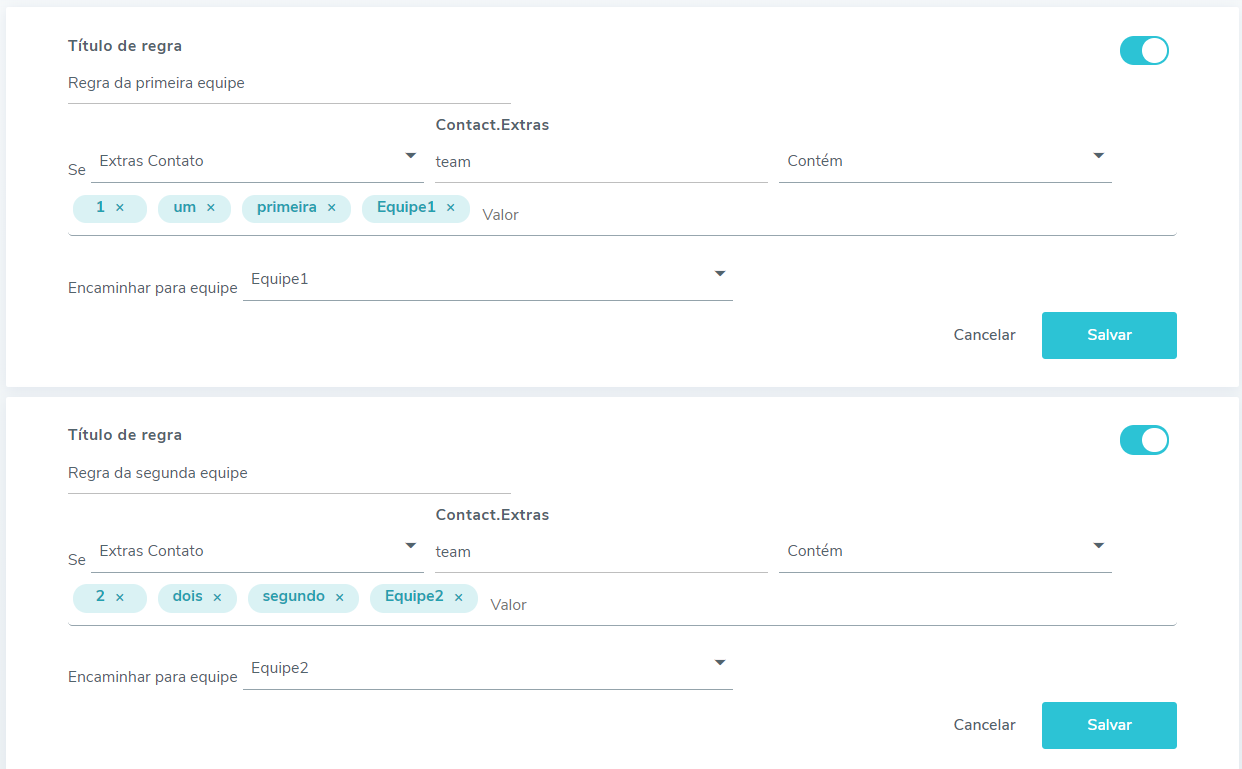
Adapting attendance template to check available attendants per team
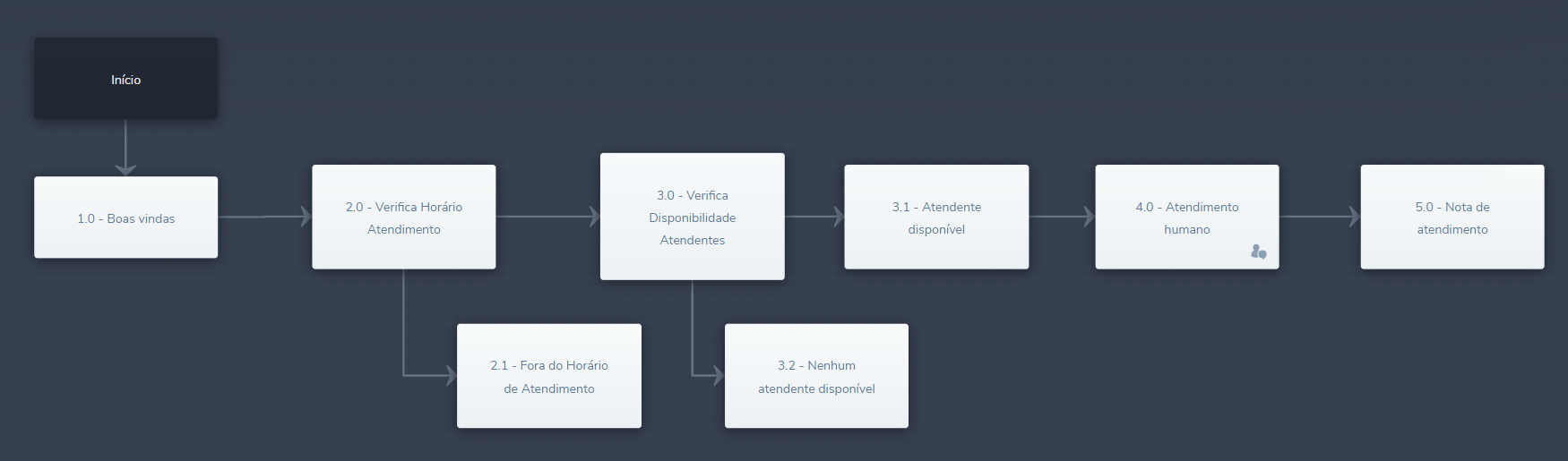
Given the flow of the service template, it is necessary to make some changes for the example's functionality.

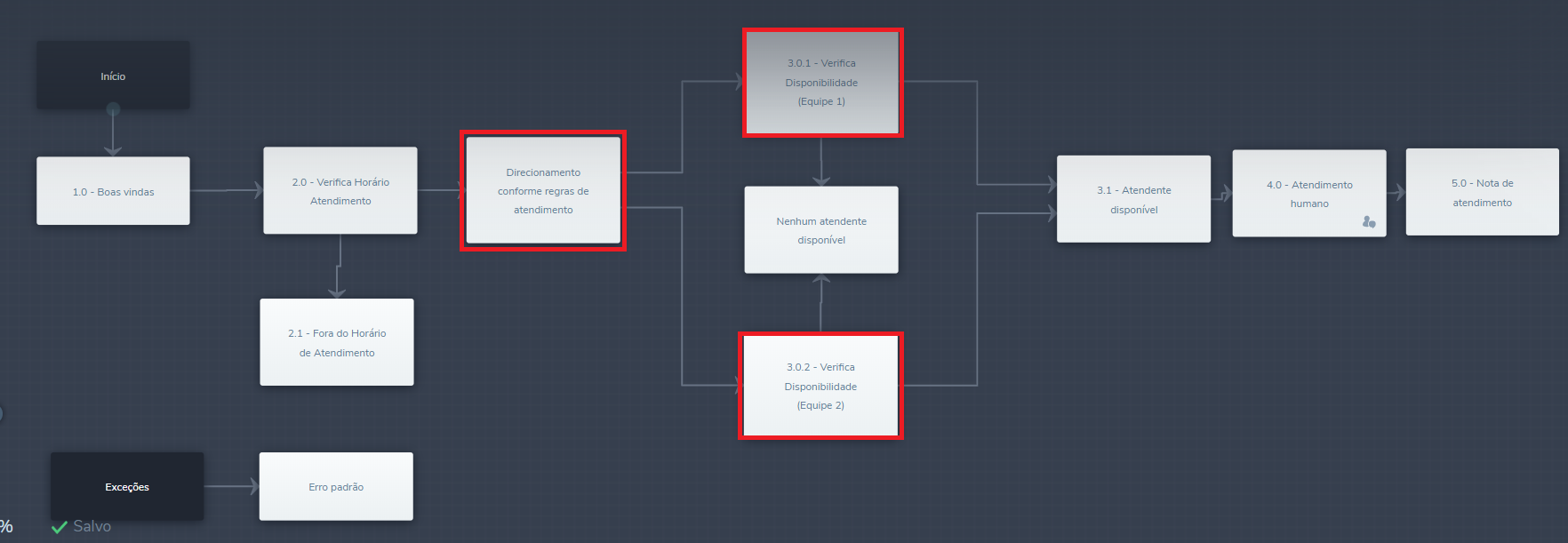
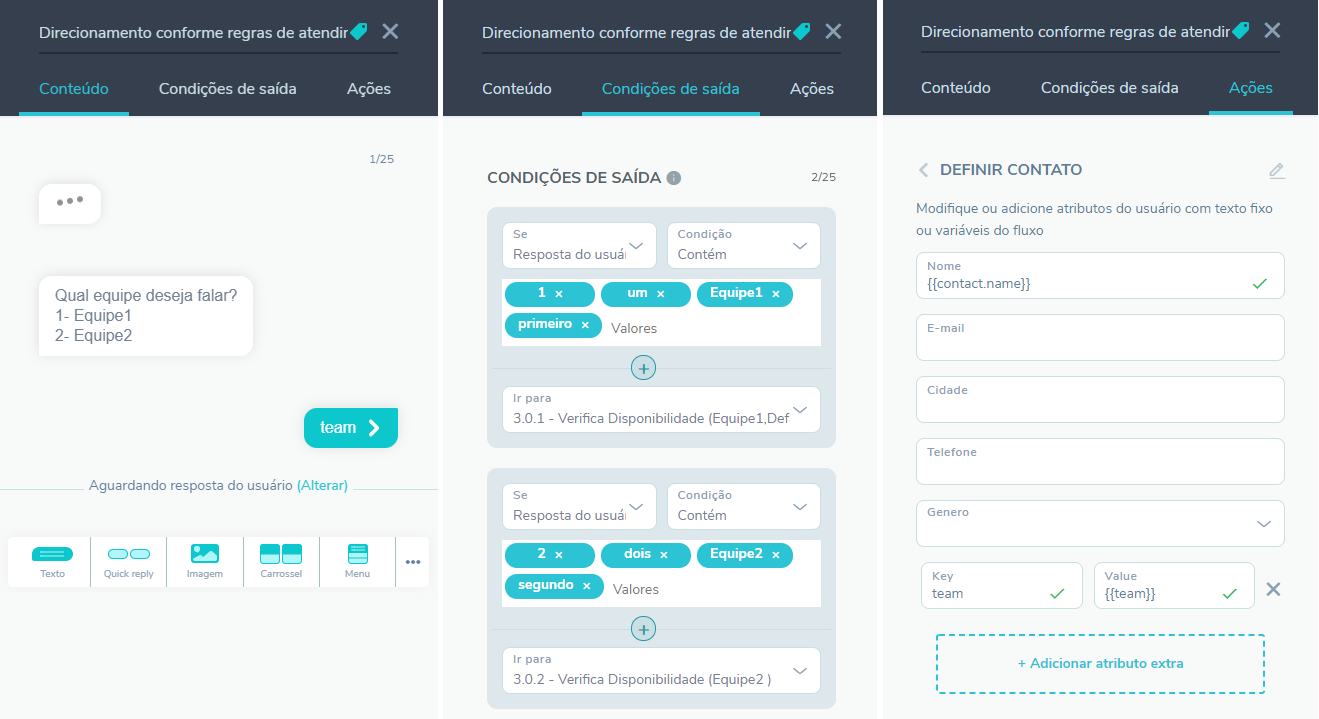
As noted, we added the Guidance block according to service rules, in this block, as the name says, we will direct the contact according to service rules.

Finally, for each team in our example (two), we create a block that contains the same structure as block 3.0 - Check Availability Attendants in the service template, and change the HANDLECHECKREQUEST script for each of the blocks.

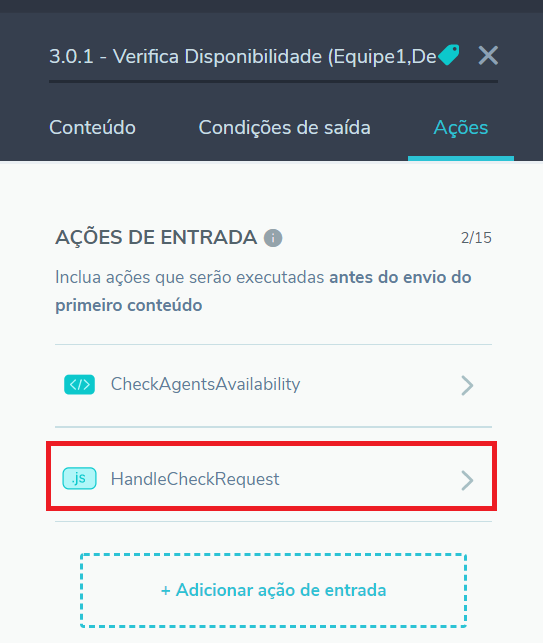
Below is presented the new script that was changed in each block, for each block it is necessary to change the team variable, changing its value to the name of the team to be verified.
function run(result) {

    result = JSON.parse(result)

    let hasAttendant = false;


    // Change the value of the variable to the name of the queue being checked

    let team = 'Queue1';


    if(result.resource && result.resource.total >= 1){

        hasAttendant = result.resource.items.some(function(attendant){

            return (attendant.status == 'Online' && attendant.teams.includes(team))

        });

    }

    return hasAttendant;

}
In summary, these changes are sufficient to check the availability of attendants per team.
Do you want to test or import this solution to your bot?
For more information, visit the discussion on the subject in our community or the videos on our channel. 😃